Your book trim size is the finished width and height of a printed page, and Amazon's Kindle Direct Publishing (KDP) asks for it before you format a single chapter. Choose 6" x 9" (152.4 x 228.6 mm), KDP's default as of September 2026, unless your page count, your illustrations or your genre rule it out. What usually rules a size out is not taste but a page count floor or ceiling, or a printing cost band you crossed without noticing.
What Is a Book Trim Size, and Why Does It Matter?
A book trim size is the width and height of a page after the printer cuts it to its finished dimensions, always written width by height. Trim size sets your page count, your cover wrap, your printing cost and which ink and paper Amazon KDP allows.
Standard book sizes exist because presses, shelves and reader habits settled on a handful of dimensions decades ago. KDP calls the ones it lists "regular" or "large", and the difference is money rather than style.
Everything downstream of the manuscript depends on this one number pair. A narrower page holds fewer words, so the same text runs to more pages. More pages means a thicker spine, which means the cover designer needs the final page count before drawing anything. Change the trim size later and you reflow the interior and redraw the cover.
Note the order KDP uses in every specification: width first, then height. "6 x 9" means six inches across and nine inches tall, never the reverse.
What Is the Most Common Book Trim Size?
6" x 9" (152.4 x 228.6 mm) is the most common trim size for books in the U.S., according to KDP's print options page. KDP makes it the default in the Print Options section of the Content tab, and classes it as a regular trim size.
That default is worth taking seriously. It is the size a reader's hands expect from a trade paperback, the size most cover designers work in without asking questions, and the largest size that still counts as regular rather than large on KDP.
The other KDP trim sizes each answer a specific need. Here are the sizes KDP lists, in width by height:
- 5" x 8" (12.7 x 20.32 cm), the smallest of the common sizes
- 5.5" x 8.5" (13.97 x 21.59 cm)
- 6" x 9" (15.24 x 22.86 cm), the default
- 7" x 10" (17.78 x 25.4 cm)
- 8.25" x 11" (20.96 x 27.94 cm), close to US letter paper
- 4.06" x 7.17" (10.3 x 18.2 cm), 4.13" x 6.81" (10.5 x 17.3 cm) and 8.27" x 11.69" (21.0 x 29.7 cm), which KDP lists under its Japanese storefront, kdp.amazon.co.jp
For paperbacks you can also enter a size of your own, within the range KDP sets for custom trim sizes.
Which Trim Size Fits Your Genre and Page Count?
Match the trim size to the books your readers already buy, then check the page count against KDP's limits. KDP's own advice is to find books with content similar to yours to see what readers expect. That is the only genre rule the platform states.
So go and measure, exactly as KDP's manuscript templates page suggests. Pull five or six books off your shelf in your category, or measure them in a bookstore, and write down the dimensions. Say you have a 70,000-word literary novel and a cover designer waiting on numbers: two comparable novels measured with a ruler will tell you more than any list of conventions.
Then let the content decide the edge cases:
- Text-only fiction and memoir. A regular trim size keeps the book in KDP's regular printing band. 5" x 8", 5.5" x 8.5" and 6" x 9" all qualify.
- Illustrated and children's books. A wider page gives artwork room, and a children's book trim size usually has to be large for that reason. KDP asks for high-resolution images, meaning at least 300 DPI (dots per inch), so check your artwork still hits 300 DPI at the finished size.
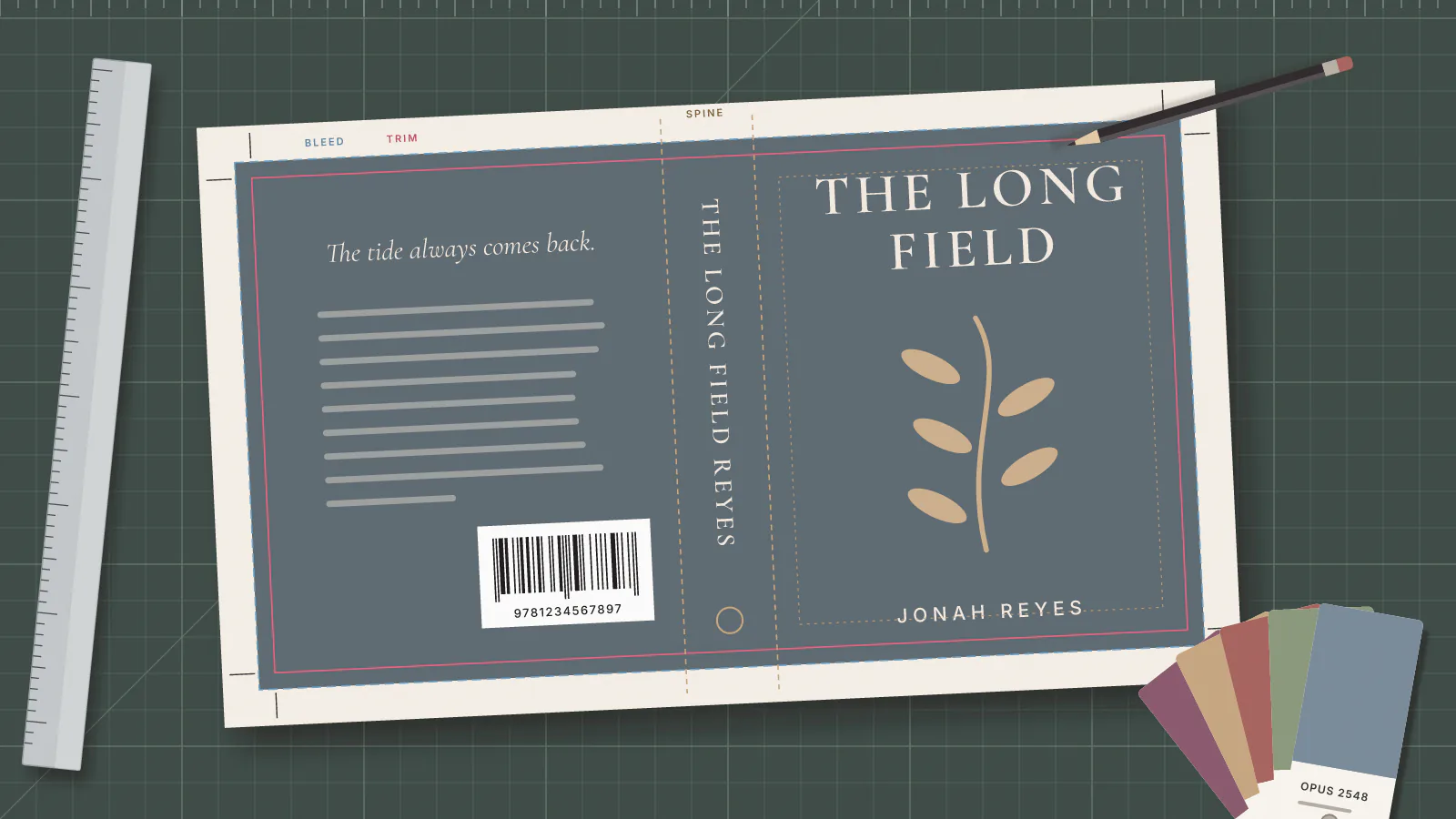
- Books with images running to the page edge. Artwork that reaches the edge needs bleed, which is extra image area printed beyond the trim line so the cut leaves no white slivers. KDP's manuscript templates page says that if your manuscript contains images or graphics that bleed to the edge of the page, you need to increase the trim size.
- Workbooks, cookbooks and anything with tables. 7" x 10" and 8.25" x 11" hold a wide table without shrinking the type. KDP asks for text of at least 7 point, which is the practical floor on how small you can shrink type to save pages.
Cover finish follows the same logic. KDP prints covers on 80 pound (220 GSM, or grams per square metre) white stock in glossy or matte. It describes glossy as typical for textbooks, children's books and nonfiction, and matte as typical for novels and other fiction.
What Are KDP's Page Count Limits for Each Trim Size?
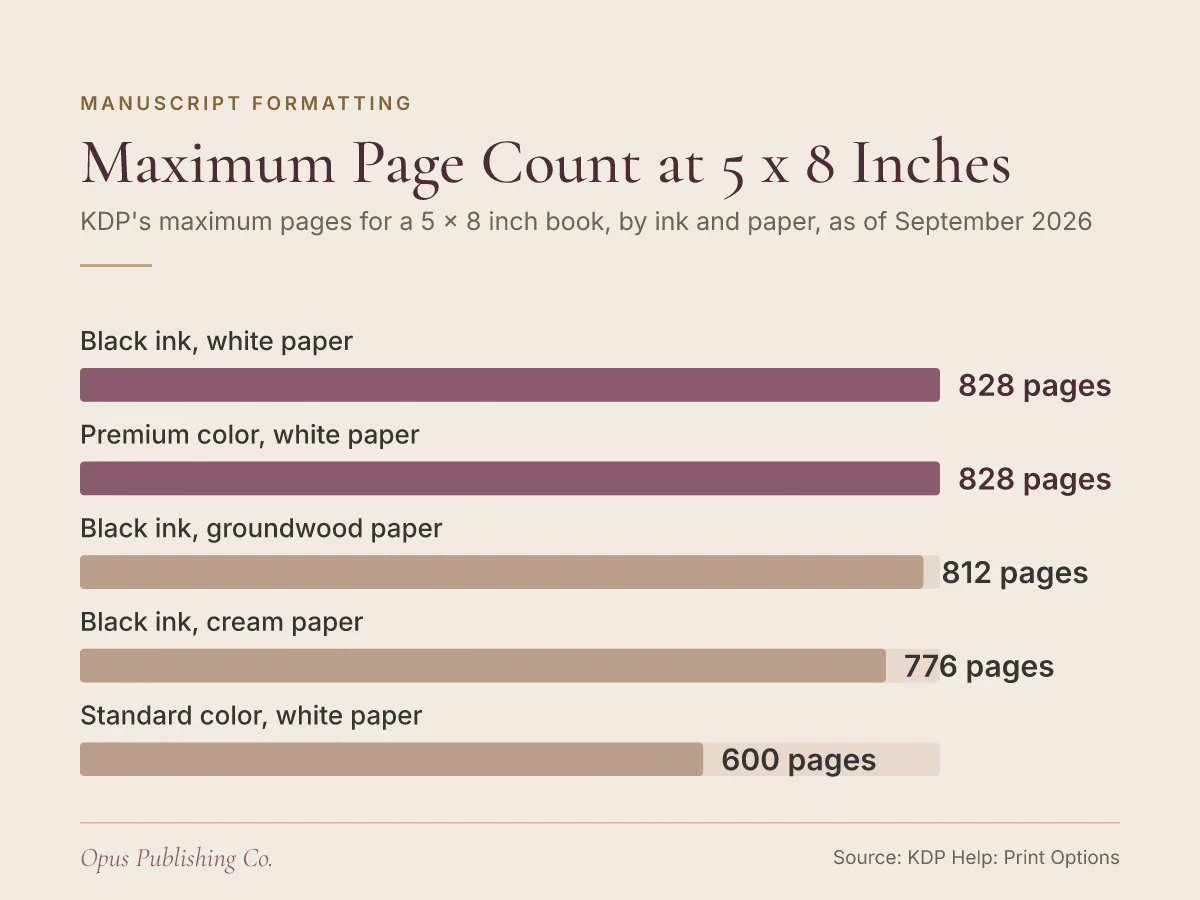
KDP sets a minimum and a maximum page count for every trim size, and the range moves with the ink and paper you pick. A 5" x 8" book with black ink on white paper takes 24 to 828 pages. The same size on cream paper stops at 776.
That second variable catches people out, so here is one trim size across all five ink and paper options KDP lists for it:
| Ink and paper at 5" x 8" | Minimum pages | Maximum pages |
|---|---|---|
| Black ink, white paper | 24 | 828 |
| Black ink, cream paper | 24 | 776 |
| Black ink, groundwood paper | 24 | 812 |
| Standard color, white paper | 72 | 600 |
| Premium color, white paper | 24 | 828 |
Groundwood is a paper stock KDP now offers for paperback books with black and white interiors, alongside cream and white. Standard color, one of KDP's two color options for paperbacks, carries the tightest page range of the five: nothing under 72 pages and nothing over 600.
The rest of KDP's table behaves differently again. The rows for 5.5" x 8.5", 6" x 9", 7" x 10" and 8.25" x 11" are listed at 75 to 550 pages, with standard color ink shown as not available. That matches KDP's separate statement that standard color ink is not available for hardcover. So do not carry a single ceiling around in your head. Open KDP's print options page, find the row for your trim size, and read across to the column for the exact ink and paper you plan to order.
Two numbers are worth checking before you commit. A very short book can fail the minimum: a 5.5" x 8.5" listing starts at 75 pages. A long one can fail the maximum, and the fix is usually a wider trim size rather than a smaller font.
How Does Trim Size Change Your Printing Cost?
Trim size moves your book between two printing cost bands. KDP charges different printing costs for regular and large trim size books, and defines a large trim size as more than 6.12 inches (155.5 mm) in width or more than 9 inches (228.6 mm) in height.
Read that boundary carefully, because 6" x 9" sits just inside it. Six inches is under 6.12, and nine inches is not more than nine, so the most common size in the U.S. is also the largest regular one. 7" x 10" and 8.25" x 11" are both large. Every custom size wider than 6.12 inches or taller than nine inches is large too.
Page count is the other half of the printing bill, and KDP gives you two levers on it:
- Paper. Groundwood printing costs are approximately 5% lower per page than cream and white paper, as of September 2026, for black and white interiors.
- Font. KDP offers a custom font, Amazon Endure, which it describes as designed to reduce your page count and save money on printing costs. It is not currently available in Japanese, Kanji or Cyrillic characters, and an existing book has to be resubmitted with the font to benefit.
Color changes the arithmetic more than trim size does. KDP states plainly that the cost for books printed in color is higher, and that standard color is not available for hardcover. If your book holds only a handful of images, price a black and white interior before you commit to color.
Printing cost is the number your earnings are built on, so it is worth seeing the whole calculation in how KDP paperback royalties are calculated. Page count also feeds the spine, which is why the trim size decision reaches the cover file: the math is in our guide to KDP paperback spine width.
Can You Use a Custom Trim Size on KDP?
Yes, for paperbacks. KDP lets you enter your own trim size with a width within 4" to 8.5" (10.16 to 21.59 cm) and a height within 6" to 11.69" (15.24 to 29.69 cm). Anything outside that range is not an option.
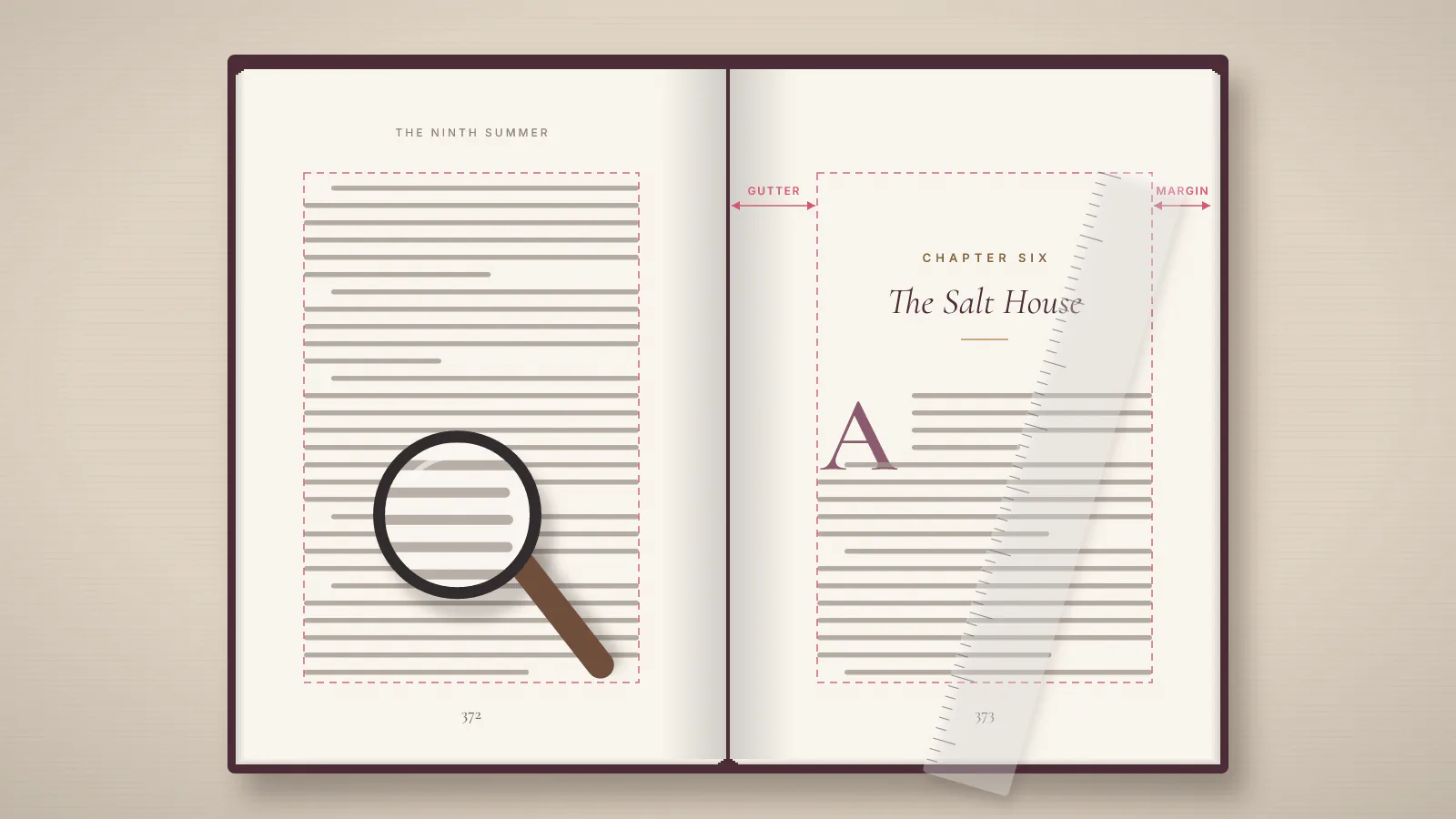
The trade-offs are real, though. A custom trim size on KDP wider than 6.12 inches or taller than nine inches counts as large, so it is priced from a different printing cost table than 6" x 9". KDP's Word templates are also organized by trim size, which means a custom size leaves you setting up the page, margins and gutter yourself.
Distribution deserves a look before you get attached to an unusual size. Three of the sizes in KDP's specifications, 4.06" x 7.17", 4.13" x 6.81" and 8.27" x 11.69", appear under its Japanese storefront rather than the US one. KDP also states that standard color distribution for right-to-left paperbacks, meaning books whose pages read from right to left, is limited to Amazon.co.jp.
KDP describes the custom range for paperbacks only. If a hardcover edition is in your plan, check the hardcover options in your own title setup before you promise readers a matching pair.
Can You Change Your Trim Size After Publishing?
Treat your trim size as permanent. KDP's print options page states that ink and paper type lock after publication because of ISBN requirements, and states no rule at all for changing trim size, so plan as though the size is fixed.
An ISBN, or International Standard Book Number, identifies one specific edition of a book, which is why the physical specification behind it cannot quietly change. Changing trim size would also reflow the interior and invalidate the cover wrap. In practice, KDP's rules mean this:
- You cannot switch between standard color, premium color and black and white after publishing. KDP's advice is to set up a separate book on your Bookshelf if you want both a black and white and a color version.
- You can switch between certain paper types after publishing, but only if your paperback uses black ink. Paper type switching is not available for titles using premium color or standard color ink.
- Before switching paper, KDP tells you to review your cover in the Print Previewer, its on-screen proofing tool, because depending on your page count you may need to upload a new cover file. Updates typically take up to 72 hours to appear.
Settle the trim size, the ink and the paper together, once, before the first upload. All three ride on the same decision.
How to Lock In Your Trim Size This Week
Five moves settle it: measure comparable books, compare page counts at two candidate sizes, check KDP's page count row for your ink and paper, set up the template, then order a proof. KDP recommends a proof before publication to confirm your ink and paper choice.
- Measure five comparable books in your category and note the width by height of the ones that feel right in the hand.
- Format a sample chapter at your two best candidate sizes and compare the page counts. That difference, scaled across the whole book, is what feeds KDP's printing cost.
- Check your projected page count against KDP's minimum and maximum for that trim size and your chosen ink and paper.
- Download the blank Word template for your size from KDP's paperback and hardcover manuscript templates, or brief your formatter on the exact dimensions.
- Order a proof copy, then confirm the trim size, ink and paper in Print Options before you click Publish.
If the page count math and the cover wrap are not how you want to spend the next two weeks, our print book formatting service handles the interior and the specifications KDP checks on upload. Either way, write your chosen trim size at the top of the brief you give your editor, formatter and cover designer. Every one of them needs it before they can start.