You have seven keyword boxes in KDP and a nagging suspicion that typing your title again is not the point. It isn't. KDP keywords are for the search phrases your title, your contributor fields and your categories do not already cover: setting, character, theme and tone, in the words a reader would actually type.
What are KDP keywords, and what does Amazon already index?
KDP keywords are up to seven words or short phrases entered in your book's details. As of October 2026, KDP's keywords page tells you to leave out anything already covered in your metadata, such as your title and contributors, and words already in your categories.
Metadata is everything about the book that is not the book: title, subtitle, contributors, description, categories and these seven boxes. Authors often call the boxes backend keywords, because the list lives in your book's details inside Kindle Direct Publishing (KDP) rather than anywhere a reader looks.
Keywords should accurately portray your book's content and reflect the words customers will use when they search. Amazon's page on making your book more discoverable with keywords adds that relevant keywords can boost your placement in search results on the Amazon Store, alongside factors like sales history and Amazon Best Sellers Rank. Keywords are one input among several, not a lever that outranks sales.
That gives you a ten-second test for every candidate phrase. If the word is already in your title, your contributor fields or one of your selected categories, the box is not where it belongs. KDP's list of what to avoid names both halves of that test: information covered elsewhere in your metadata, such as the title and contributors, and words already mentioned in your book categories, which it illustrates with 19th Century History.
Cramming the phrase into your title instead is not the fix either. The same page warns that customers are more likely to skim past long titles, meaning those over 60 characters. Both pieces of advice point the same way: keep the title readable, and put the extra reader vocabulary in the boxes.
Which keywords should you choose for the seven boxes?
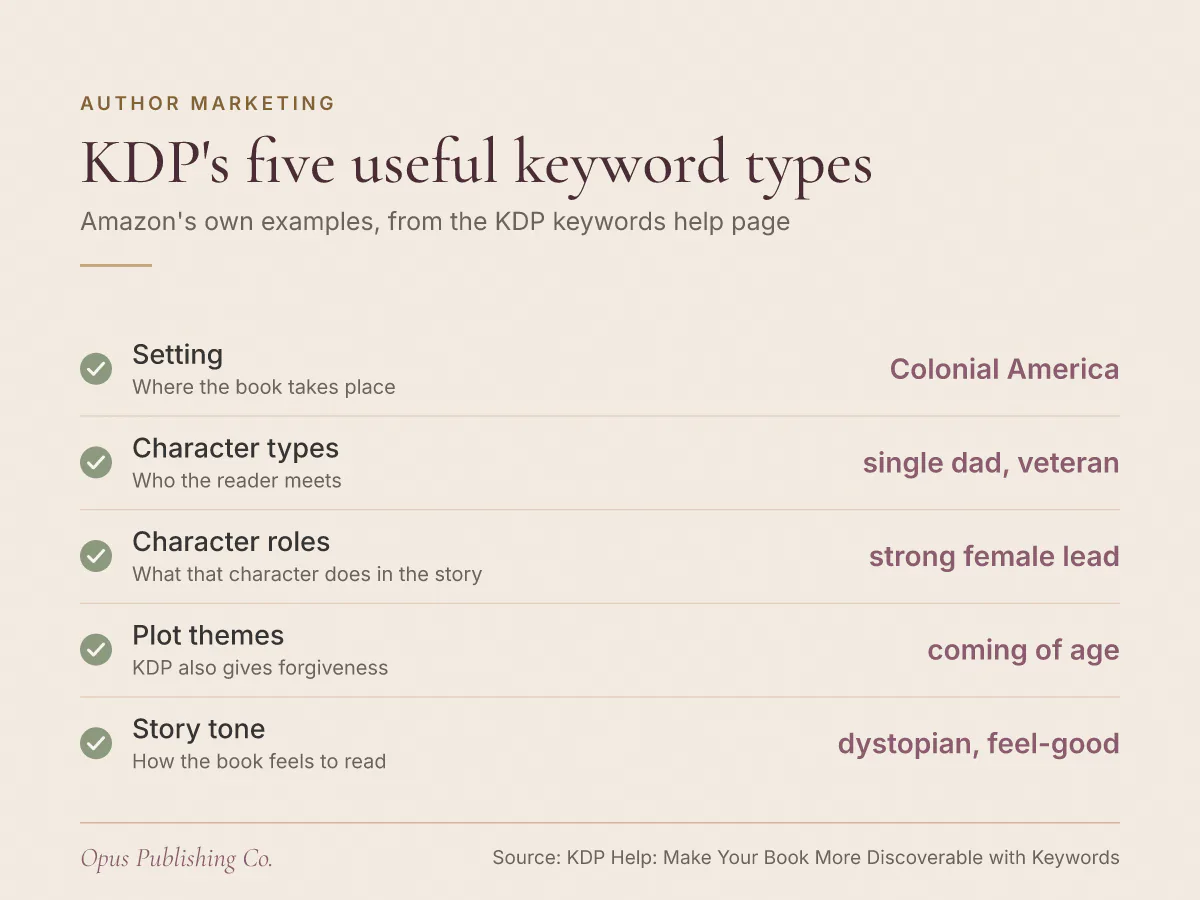
KDP's keywords page names five kinds of keyword worth entering, with Amazon's own examples: setting, character types, character roles, plot themes and story tone. Those five cover most of what a reader has in mind and most of what will never fit in a title.
- Setting: Colonial America
- Character types: single dad, veteran
- Character roles: strong female lead
- Plot themes: coming of age, forgiveness
- Story tone: dystopian, feel-good
The logic behind the list is in the same page's closing tips: your keywords can capture useful, relevant information that won't fit in your title and description, such as setting, character, plot and theme. Think like a reader, KDP says, and imagine how you would search if you were a customer.
Say your debut is a dual-timeline family novel set in Colonial America, with a veteran as the character a reader will remember. Colonial America is your setting keyword. Veteran is a character type. Forgiveness may be the theme that actually sells the book, and it is almost certainly not in your title. For a faith-based memoir or a children's picture book, tone does the same job: feel-good tells a shopper something your subtitle cannot.
What should you never put in a KDP keyword box?
KDP's keywords page lists what to keep out, and the list is longer than most authors expect. It covers subjective quality claims, time-sensitive words, generic words, spelling and plural variants, misleading terms, brands you do not own, quotation marks and Amazon program names.
- Subjective claims about quality, such as best novel ever.
- Time-sensitive statements: new, on sale, available now.
- Information common to most items in the category, such as the word book.
- Variants of spacing, punctuation, capitalization and pluralization, so computer and computers, or 80GB and 80 GB, are redundant.
- Anything misrepresentative, such as the name of an author not associated with your book. KDP states a zero tolerance policy for metadata meant to advertise, promote or mislead.
- Brands you do not own or are not authorized to use.
- Quotation marks in your search terms.
- Amazon program names, which the page gives as Kindle Unlimited and KDP Select.
One exception sits inside the variants rule: a word translated more than one way. KDP's examples are Mao Zedong or Mao Tse-tung and Hanukkah or Chanukah. Those are two spellings a reader might genuinely type, not two forms of one word, so both are worth a box between them.
KDP also notes that the list is not exhaustive, and that all keywords must comply with its Terms and Conditions. Treat the examples as the shape of the rule rather than its full extent.
Should KDP keywords be single words or phrases?
Single words work better than phrases, according to KDP's keywords page, and specific words work better than general ones. The page also tells you to drop quotation marks, because a quoted phrase only reaches readers who type every word in it.
KDP's own example is worth reading twice. Enter "complex suspenseful whodunit" with the quotation marks and only people who type all of those words will find your book. Enter it as complex suspenseful whodunit, with no quotation marks, and a customer can search for any of those words and still land on your page. The quotation marks narrow your reach rather than sharpening it.
Word order still matters within a phrase, and KDP's own examples are multi-word. Combine keywords in the most logical order, it advises: customers search for military science fiction, but probably not for fiction science military. Write the phrase the way a reader would say it out loud.
How many characters fit in a keyword box?
KDP does not publish a number. Its keywords page says to use up to seven keywords or short phrases and to keep an eye on the character limit in the text field, which is the only reliable source for it. Every character count you have read on a keyword-strategy blog is somebody's measurement, not Amazon's documentation, so open your own title setup and read the limit off the field.
That also settles the advice about filling every character you are given. Space is not the constraint KDP describes. Overlap with your title and categories is.
How are KDP keywords different from KDP categories?
KDP keywords are the phrases readers type into search. Categories are the shelves they browse. Amazon's categories page describes them as digital shelves that serve the same purpose as sections in a physical bookstore, and says categories and keywords together tell Amazon where to shelve your book.
| Where they differ | Keyword boxes | Categories |
|---|---|---|
| How many you get | Seven words or short phrases | Three per book |
| How a reader arrives | Typing a phrase into Amazon search | Browsing a section of the store |
| When no option fits | KDP suggests keywords when no specific category matches | Pick the closest match while KDP's list catches up |
| After you edit | Change keywords as often as you like | Up to 72 hours to display |
| What KDP polices | All keywords must comply with the Terms and Conditions | Unrelated categories may be removed or changed |
Two rows there are worth dwelling on. First, KDP's categories help page says that if you are not finding a specific category for your book, keywords help Amazon work out how to shelve it, because keywords are often more specific and reach readers searching for something unique. A niche book is not stuck with a broad shelf.
Second, the editing speeds differ. Keywords and descriptions can change as often as you like. A new category placement can take up to 72 hours to display, and KDP notes that unrelated categories may be removed or changed to keep the store useful for shoppers. If you are picking your three now, our guide to choosing KDP categories readers actually browse covers that side of the form.
How do you test and change your KDP keywords?
Search each candidate phrase on Amazon before you publish, which is exactly what KDP's keywords page instructs, and watch the suggestions that appear in the search field drop down. If the results come back irrelevant or unsatisfying, change the phrase and search again.
To edit the boxes on a book that is already live, KDP gives this path:
- Go to your Bookshelf and click the ellipsis button next to your book.
- Select Edit book details for your book format.
- Add or edit your keywords under the Keywords section.
- Go to the bottom of the page and click Save and Continue.
- On the book Pricing page, click Publish.
You can change keywords and descriptions as often as you like, so a weak list is not a permanent mistake. Treat the first seven as a draft and revisit them once you have seen which phrases bring readers to the page.
One detail trips up authors with more than one edition. KDP advises that if your book is available in different formats, including physical and audio, you keep your keywords and description consistent across formats. Because you edit book details per format, that consistency is something you have to apply by hand to each one. The same per-format thinking applies to the ISBN, the identifier the book trade uses to list each edition of a title, which our post on whether an ebook and paperback need separate ISBNs explains.
What to do with your keyword boxes this week
Open your book's details in KDP and write down what your title, contributor fields and three categories already cover. Everything left over is the raw material for the seven boxes.
- List every aspect of your book under KDP's five types: setting, character types, character roles, plot themes and story tone.
- Strike out anything that duplicates your title, your contributors or a selected category.
- Strike out quality claims, time-sensitive words, generic words, program names and plural or spacing variants.
- Search your shortlist on Amazon, read the search field suggestions, and keep the phrases that return books like yours.
- Enter seven phrases in reader word order, with no quotation marks, and save your changes through the Pricing page.
Keep the discarded candidates in a note. When you reprice, run a promotion or release the audiobook, a phrase you cut today may be the one worth testing next, and you can change keywords as often as you like. If the whole metadata layer is what you would rather hand off, our publishing and distribution service covers KDP setup and metadata alongside the upload itself.