You finished the book, picked three formats, and now have to work out how many numbers to buy. A separate ISBN for ebook and paperback is not always required: Amazon lists the Kindle ebook as optional, while a paperback and a hardcover each need their own. Here is the rule format by format, as of October 2026, and when a revision needs a fresh one.
Do You Need a Separate ISBN for Ebook and Paperback?
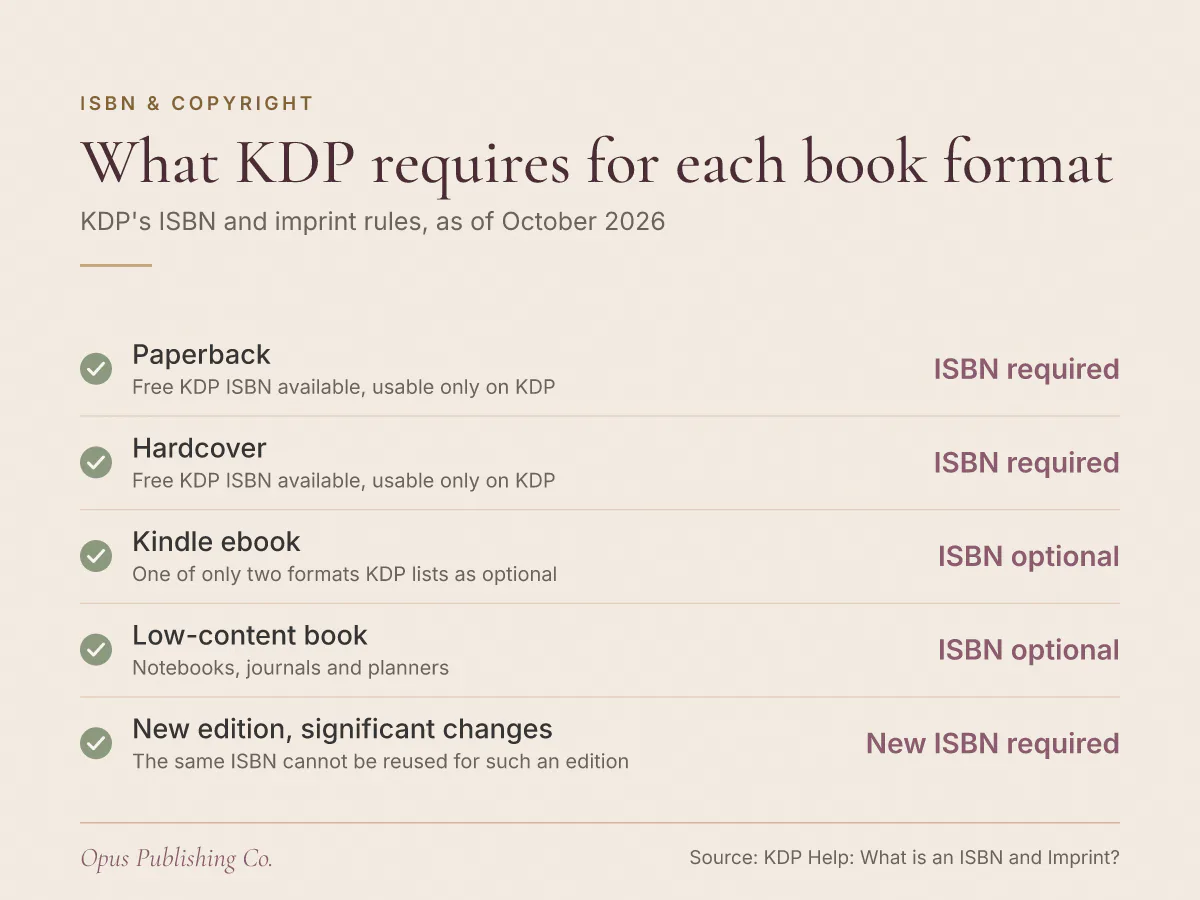
Yes for the paperback, no for the Kindle ebook. Amazon's KDP help page states that each format of your book, paperback versus hardcover, needs its own ISBN, and that ebooks and low-content books are the only formats where an ISBN is optional.
An ISBN (International Standard Book Number) is a unique identifier for books. According to KDP's ISBN and imprint help page, it helps bookstores, libraries, distributors and readers find and reference your book correctly. One number, one product.
That turns the question into arithmetic. A paperback takes one ISBN. A hardcover takes another. A Kindle ebook can publish without one. An author releasing all three on Amazon therefore needs two ISBNs, not three.
Which Book Formats Require an ISBN on KDP?
Paperback and hardcover each require their own ISBN on KDP. Ebooks and low-content books are the only two formats KDP's ISBN and imprint page lists as optional, so a Kindle ebook does not need an ISBN to go live on Amazon.
Low-content books are the notebooks, journals and planners sold with mostly blank or repeating pages. Everything else you publish in print, including a children's picture book or a 90,000-word literary novel, sits in the required column.
| Format | Does KDP require an ISBN? | Can you use a free KDP ISBN? |
|---|---|---|
| Paperback | Required | Yes, and only on KDP |
| Hardcover | Required | Yes, and only on KDP |
| Kindle ebook | Optional | No, the free option covers print only |
| Low-content book | Optional | No, the free option covers print only |
Two details worth knowing before you plan a hardcover release: KDP's help page notes that hardcover is currently unsupported in Japan, and the free ISBN option it offers applies to paperback and hardcover books only. Settle the print ISBN before cover artwork goes final, because the back cover has to leave room for a barcode block. Our guide to the KDP cover template, bleed, spine and barcode area shows where that block sits.
Can You Use the Same ISBN for a Hardcover and a Paperback?
No. KDP's ISBN and imprint page states that the same ISBN cannot be reused across multiple book formats or new editions that introduce significant changes from the original version. A hardcover and a paperback are two formats, so each takes its own number.
The reason is plumbing, not bureaucracy. Retailers, libraries and distributors look a book up by its ISBN to tell one product from another. Point two different physical products at a single number and the systems that order, shelve and report on your book cannot tell which one a customer wanted.
The same logic applies in the other direction. If you register your own ISBN for the Kindle edition, that number belongs to the ebook. It cannot double as the paperback's, even though the words inside are identical.
When Does a New Edition Need a New ISBN?
A new edition needs a new ISBN when it introduces significant changes from the original version, which is the test KDP's ISBN and imprint page sets out. KDP's wording is significant changes, not a page count or a percentage threshold. The same ISBN cannot carry both versions.
Judging significance is the part authors get stuck on, especially for a second edition that grew out of reader feedback. A rule of thumb that keeps you out of trouble: ask whether a reader who bought the first version would feel they received a different book this time.
Points toward a new edition and a new ISBN:
- Chapters added, removed or substantially rewritten
- A new foreword, afterword, appendix or study guide
- A changed title or subtitle
- A switch of publisher or imprint
Points toward keeping the existing ISBN:
- A typo and punctuation pass
- A reflowed interior with the same content
- A refreshed cover with the same text inside
Borderline cases exist, and the agency that issued your ISBN is the right place to settle them. Buying one more number is less trouble than untangling two products that share an identifier after both are on sale.
Should You Use a Free KDP ISBN or Buy Your Own?
Free KDP ISBNs suit authors who will only ever sell through KDP. KDP's help page states that free ISBNs from Amazon can only be used on KDP and cannot be used to publish outside KDP, and that the free option covers paperback and hardcover books only.
The second difference is whose name appears as the publisher. An imprint is the name of the publisher associated with your book's ISBN. Take the free ISBN and KDP shows the imprint as "Independently published." Buy your own and you can list your own publishing imprint, such as your business or brand name.
Say you have a debut novel going out as a paperback and a Kindle ebook, you have no plan to print anywhere else, and the imprint on the copyright page does not matter to you. One free KDP ISBN covers the paperback, and the ebook needs no number at all. Say instead you expect to add a hardcover through another printer next year, or you are building a brand that will publish other authors. Buy your own, because a free KDP number will not travel with the book. We compare the two routes in more detail in Do You Need an ISBN to Self-Publish? Free vs Your Own.
Why Does KDP Reject an ISBN and Imprint That Look Right?
KDP checks the imprint on an ISBN you bought against what the ISBN agency, such as Bowker, has on file, and blocks publishing if the two do not match. The check is case-sensitive, and extra spaces at the end of the imprint name can cause mismatch errors.
Nothing warns you about this until the upload fails, often the night before a launch date. The fix is boring and fast once you know where to look.
- Open the record you created when you registered the ISBN and copy the book title, author name and publisher exactly as they appear there.
- Paste each one into KDP rather than retyping it, so capitals match character for character.
- Delete any trailing space after the imprint name, because KDP warns that extra spaces at the end of it can cause mismatch errors.
- Keep the imprint inside the 100-character limit KDP sets for that field.
- Never enter a placeholder such as "unknown" or "n/a", which KDP's help page rules out.
One more pairing to get right at the same time: the details you register with the agency should be the details you want on the book. KDP requires that if you purchase your own ISBN, you enter the same book title, author name and publisher in KDP that you used to register it.
How Many ISBNs Do You Need for a Multi-Format Launch?
Count one ISBN for each print format you publish. A paperback and a hardcover need two. Adding a Kindle ebook adds none on KDP, because ebooks sit in the optional column. A new edition with significant changes adds one more for each print format it affects.
Worked examples, using only KDP's rules as of October 2026:
- Example: paperback only, sold on KDP. One ISBN, and KDP's free option covers it.
- Example: paperback and hardcover on KDP. Two ISBNs, both available free from KDP if you never sell those print editions elsewhere.
- Example: paperback, hardcover and a Kindle ebook, all on KDP. Still two ISBNs, because the ebook is optional.
- Example: paperback and hardcover you also intend to sell outside KDP. Two ISBNs you buy yourself, because free KDP ISBNs cannot be used to publish outside KDP.
- Example: a revised second edition of that paperback with significant changes. One more ISBN, for the paperback only.
The fourth example is the one that catches authors out. They take the free ISBNs, publish, then decide six months later to print through another supplier, and discover the identifier they have been promoting is locked to Amazon.
What to Settle Before You Upload
Settle the ISBN question before you reach KDP's title setup screen, not during it. Three decisions finish the job: which formats you will publish, whether you want free KDP numbers or your own, and whether your agency record matches what you will type into KDP.
Do these this week:
- Write down every format you plan to release in the next twelve months, including a hardcover you are only considering. Count one ISBN per print format.
- Decide free or purchased on one question: will any print edition ever be sold through a channel other than KDP?
- If you are buying, register the title, author name and imprint exactly as you want them on the book, then copy those strings into a note for upload day.
- If you are revising an existing book, decide now whether the changes are significant enough to make it a new edition, because that decision changes your ISBN count.
Getting the identifiers right is unglamorous work that quietly prevents a mess later. If you would rather hand the metadata, ISBN assignment and retailer setup to someone else, that is what our publishing and distribution service handles.